Expert Tips for Planning Home Electrical Upgrades in Australia
- Written by: The Times
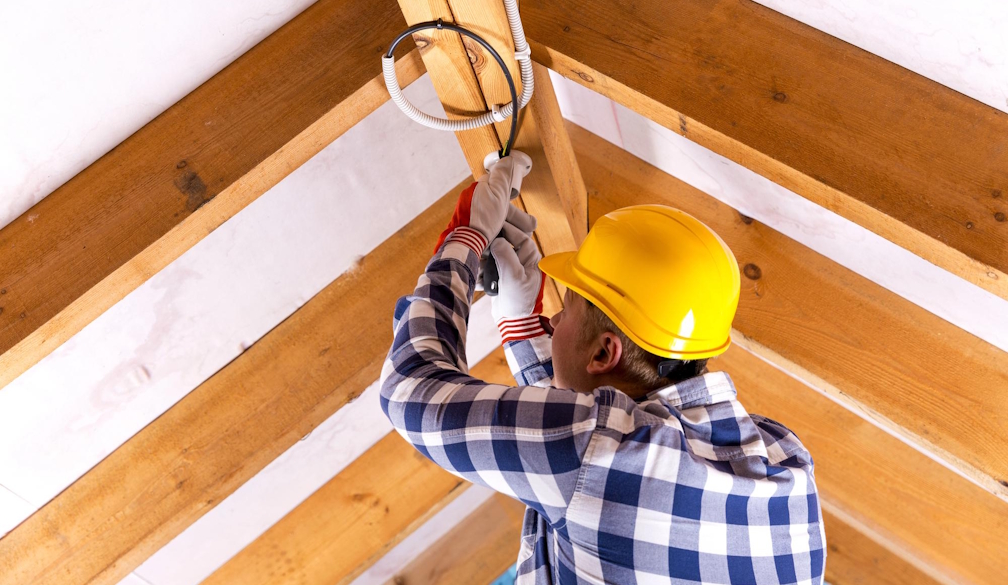
Home electrical systems in Australia are quite intricate and require careful handling. Safety and efficiency determine the functionality of these systems, and it's critical to ensure that these standards are met. With technology rapidly advancing, smart home trends have become increasingly popular in Australia, making electrical upgrades essential for homeowners who wish to keep up with these transitions.
Yet, homeowners need to adhere to stringent standards and regulations before undertaking any electrical upgrades. Clearly articulated by the regulatory environment in Australia, these rules are there to enforce best practice guidelines and ensure that all electrical work is safely completed to a high standard.
This article will deliver a comprehensive guide, with expert advice to help homeowners hoping to upgrade their electrical systems. It covers pertinent areas including understanding current electrical systems, adhering to Australian standards, prioritising safety, integrating smart technology, planning, and budgeting for upgrades.
Understanding Your Current Electrical System
Understanding your current electrical setup is the foundation for an effective and safe upgrade. Assessing the existing infrastructure is the first step before considering any improvements. Current systems determine the extent of the upgrades needed and provide an insight into ways to enhance safety and efficiency.
Look out for signs that an upgrade is necessary. For instance, frequent power interruptions or circuit trip failures can be a sign of an aged or inadequate electrical system. Old and outdated fixtures and fittings are other signs pointing to the requirement for an upgrade.
It's advisable to conduct a basic audit of your home's electrical usage and needs. Understand your electricity consumption patterns. Note down the number of outlets you have and where you may need more. The types of equipment and appliances you use regularly and how much power they consume are also key factors to consider. For a detailed evaluation of your electrical systems, consider employing the services of a professional electrician who can provide an accurate diagnosis and recommend appropriate upgrades. If you're looking for expert assistance, electrical services in Melbourne offer professional solutions to ensure safety and efficiency.
Complying with Australian Electrical Standards
Electrical modifications and upgrades aren't as simple as changing a light bulb. They involve deeper, often complex aspects that necessitate comprehensive knowledge of electrical systems. For this reason, electrical regulations in Australia strictly dictate how electrical operations should be conducted - from installations to upgrades and repairs.
Laws require homeowners to obtain permits and approvals before initiating any electrical upgrades. Abiding by these guidelines ensures the safety and effectiveness of every electrical project. Ensuring compliance with all Australian electrical standards is paramount, and hiring qualified and licensed electricians is the best approach to guarantee this compliance.
Non-compliance attracts penalties and might even lead to legal suits. Furthermore, shoddy and substandard works present potential safety hazards, including electrical shocks and fires, making it essential to adhere to all rules and regulations strictly.
Prioritising Safety in Electrical Upgrades
Electrical safety should be a top priority when planning and implementing upgrades. It's important to consider safety measures such as proper installation of circuit breakers and grounding, which protect from overloads and electrical faults.
Many older homes have obsolete wiring systems that pose a hazard. During upgrades, getting these replaced with new, safe electrical wiring can drastically minimise risks of electrical fires or shocks. Modern homes should also include child-safe outlets to protect younger members of the household. Devices such as Residual Current Devices (RCD) and safety switches are invaluable for their safety benefits.
Remember, electrical safety isn't just about ensuring that the devices and installations meet safety guidelines - it's also about ensuring that their operations do not pose any danger to the residents.
Integrating Smart Technology into Your Home
The advent of smart home technologies has revolutionised how Australians interact with and control their homes. These technologies offer incredible convenience, allowing remote control of various appliances and systems and ensuring optimal energy efficiency.
Consider incorporating some popular smart technologies that are making waves in Australia. These include items like remote-controlled lighting systems, intelligent thermostats, and even voice-controlled devices. An efficient smart home system can optimise your energy usage, significantly bringing down utility costs.
When installing smart home technology, special attention should be given to potential future upgrades. Choose devices that can integrate smoothly with newer, more advanced models as and when they hit the market. This ensures your home remains up-to-date with the latest technology.
Budgeting and Planning for Electrical Upgrades
Like any home upgrade project, budgeting is key when planning for electrical system upgrades. Understanding the typical expenses involved and factoring potential costs and contingencies will help ensure everything goes smoothly. Keep track of all potential costs to avoid any rude shocks once the project starts.
The costs of electrical upgrades differ from home to home, and the extent of the upgrades planned will determine the total expenditure. Estimating the costs ahead of time can prevent overruns and allow you to prepare accordingly. Consider potential financing options if the project’s costs are significant.
It's always an excellent idea to gather multiple quotes before settling on an electrician to undertake your project. Comparing quotes doesn't only provide options for better pricing but also offers a range of perspectives from different experts on what’s best for your home.
Conclusion
Maintaining and upgrading your home’s electrical systems is a crucial part of homeownership in Australia. In the world we live in, where technology advancement is at an all-time high, staying informed and proactive should be every homeowner's motto. Homeowners should stay informed about how their systems work, what needs improving, and the smart technologies in the market.
Plan your upgrades comprehensively, ensuring baseline safety measures while also focusing on modern, innovative technology. For project supplies, you may wonder where to buy electrical supplies for upgrades. Always buy from trusted suppliers known for quality and reliability to ensure the successful completion of your project.
Though it requires substantial effort, the investment in planning home electrical upgrades is worthwhile. With increased safety, efficiency, and convenience, these upgrades can significantly enhance your modern Aussie home.