How to Reset Holafly eSIM Without Losing Your Data Plan
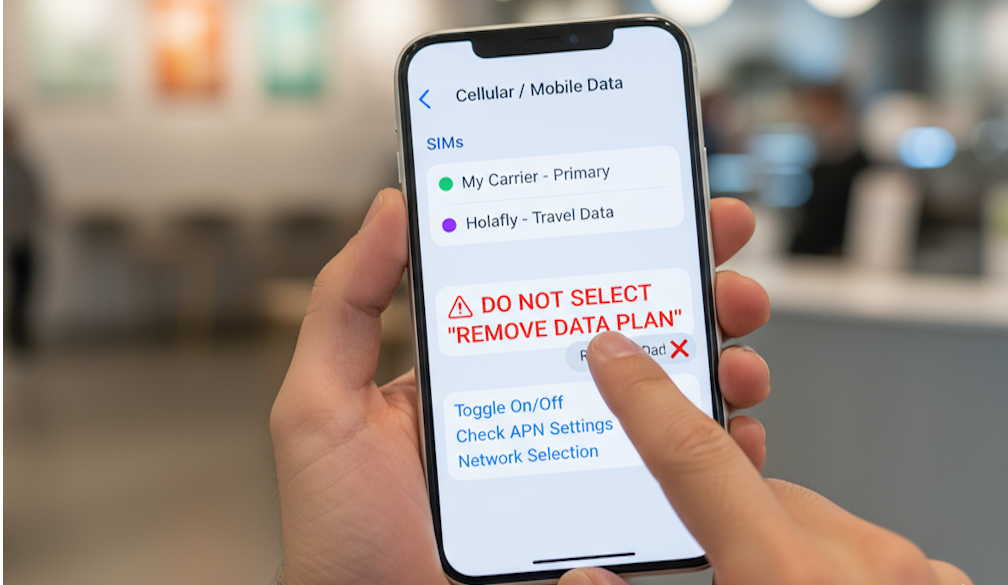
You usually do not think much about mobile data until it suddenly disappears. That moment often happens during travel when you are outside a hotel, trying to open maps, message someone, or search for directions in a place you barely know. The phone shows signal bars, but the internet refuses to cooperate like it is taking a personal day off.
Many travelers using Holafly eSIM experience this at least once. Sometimes the issue is small and gets fixed in minutes. Other times people panic and start pressing random settings, which honestly makes the situation worse more often than it helps. A lot of users worry that resetting the eSIM will completely remove the plan and waste the data they already paid for.
The good news is that resetting your connection does not always mean deleting the eSIM itself. There are several safe methods that can refresh the network and solve common problems without touching your data plan.
This article explains those methods step by step in simple language so you can fix the issue calmly instead of standing in the street refreshing your phone every five seconds and hoping technology suddenly feels generous again.
Why People Reset Their Holafly eSIM
There are many reasons that travelers reset their eSIM while traveling.
Sometimes the internet suddenly becomes slow. In other cases, the phone shows full signal bars but nothing loads. This situation is especially frustrating because the phone acts confident while the internet acts unemployed.
The reasons can be different depending on the situation you’re in. For example if you’ve no mobile data connection or Weak or unstable signal.
Sometimes esim connected but the internet not working. Or you may face problems after a phone update.
Accidental network setting changes and switching between physical SIM and eSIM can also be a reason behind it.
Whether your Roaming settings turned off or APN issues, In most situations, a simple reset can solve the problem.
What Happens When You Reset a Holafly eSIM?
Many users think resetting an eSIM automatically deletes the entire plan forever. That is not always true.
There are two very different things:
-
Soft Reset
A soft reset includes: Restarting the phone, Turning airplane mode on and off, Resetting network settings and Reconnecting mobile data
This usually does not remove your eSIM plan.
-
Full eSIM Deletion
This is different.
If you completely remove the eSIM profile from your phone, you may not be able to reinstall it again without contacting support.
That is why you should always try safer methods first before deleting anything.
Think of it like cleaning your room. You want to organize the mess, not throw the entire house into the street.
How to Reset Holafly eSIM Without Losing Your Data Plan
Method 1: Restart Your Phone
This sounds simple, but it works surprisingly often. Follow these simple Steps:
- On iPhone
- Hold the power button
- Turn the phone off
- Wait 30 seconds
- Turn it back on
- On Android
- Press and hold the power button
- Tap restart
- Wait for reboot
After restarting:
- Turn mobile data back on
- Check signal
- Test internet speed
- Many connection issues disappear after a restart because the phone refreshes network connections automatically.
Method 2: Turn Airplane Mode On and Off
This is one of the fastest fixes. Here are Simple Steps:
- Turn airplane mode ON
- Wait 20 to 30 seconds
- Turn airplane mode OFF
- Wait for network signal
This forces the phone to reconnect to nearby mobile towers.
Sometimes phones simply need a small reminder that they are supposed to behave like phones.
Method 3: Reset Network Settings
This method is very effective and usually safe for your eSIM. It may remove your Saved WiFi passwords, Bluetooth settings and Old network errors. But it normally does not delete the eSIM itself. Follow these few steps to reset network settings:
Reset Network Settings on iPhone
- Open Settings
- Tap General
- Tap Transfer or Reset iPhone
- Tap Reset
- Choose Reset Network Settings
- Your phone will restart automatically.
Reset Network Settings on Android
- Open Settings
- Search “Reset”
- Select Reset Network Settings
- Confirm reset
The exact steps may differ slightly depending on your phone brand.
Method 4: Reconnect the Holafly eSIM
Sometimes disconnecting and reconnecting the eSIM helps. Just
- Open mobile network settings
- Select the Holafly eSIM
- Turn the line OFF
- Wait one minute
- Turn it ON again
- Then: Enable roaming
- Test internet connection
This refreshes the connection without removing the eSIM plan.
Method 5: Update APN Settings
APN settings control how your phone connects to mobile internet networks.
If these settings become incorrect, the internet may stop working even though the signal looks normal.
How to Check APN Settings?
On iPhone or is usually automatic. Just Go to: Settings >Mobile Data>Mobile Data Network.
On Android you just Go to: Settings> Mobile Network >Access Point Names
Compare the settings with the instructions provided by Holafly.
Final Thoughts
Using Holafly eSIM while traveling is usually simple, but connection problems can happen with any mobile network. The important thing is staying calm and following safe troubleshooting steps before removing anything.