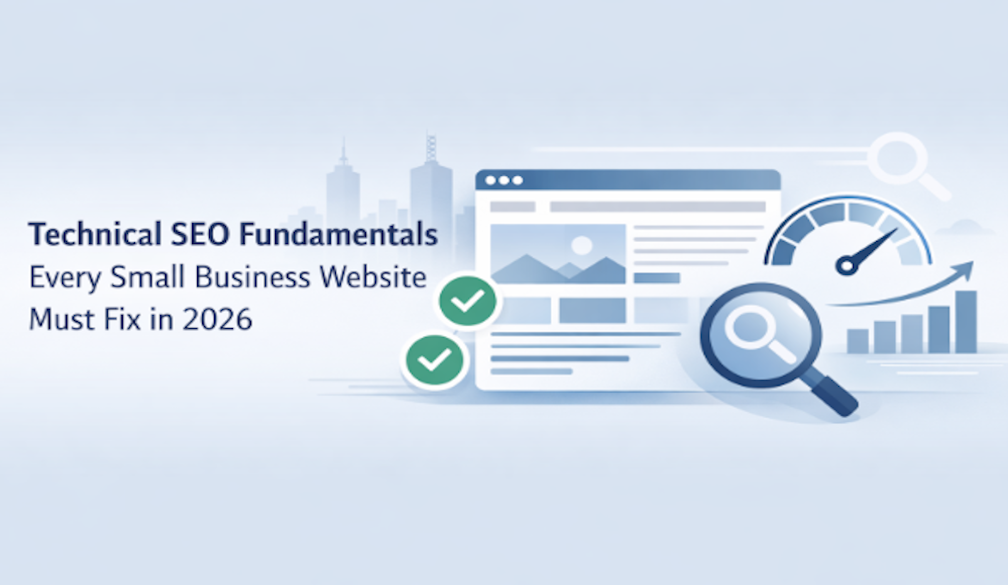
Technical SEO Fundamentals Every Small Business Website Must Fix in 2026
- Written by: Melbourne Web Digital
Technical SEO Fundamentals often sound intimidating to small business owners. Many Melbourne businesses assume technical fixes need a developer, a big budget, or advanced coding skills. That belief holds websites back.
The reality is simpler. Technical SEO is about helping search engines and real people access, understand, and trust your website. When the technical foundation is weak, even the best content struggles to appear in search results. In 2026, Google’s systems will place even more weight on site quality, usability, and reliability. This guide explains what matters, why it matters, and what small business owners can fix themselves.
What Technical SEO Means
Technical SEO focuses on how a website works behind the scenes. It affects how search engines scan pages, store them in their index, and show them to users.
Think of your website like a shop. Content is what you sell. Design is how it looks. Technical SEO is whether customers can open the door, move around easily, and trust the space. If the door sticks or the lights flicker, people leave. Search engines react the same way.
Unlike content writing or link building, technical SEO does not aim to impress. Its job is to remove friction.
How Google Reviews Website Health in 2026
Google uses automated systems to crawl pages, read code, and measure how users interact with sites. These systems look for signals that show reliability and clarity.
A technically healthy site loads quickly, works on mobile, uses secure connections, and avoids confusing errors. Pages that load slowly, break on phones, or block crawlers lose visibility over time. This happens even if the business is well-known locally.
For Australian businesses competing in crowded markets, technical strength helps Google trust that a website deserves space on page one. For business owners who want these fixes handled properly without touching code, working with a dedicated technical SEO service can help identify issues, apply the correct corrections, and maintain the website's stability as Google’s systems evolve.
Crawlability: Can Search Engines Reach Your Pages
Crawling is the process where search engines visit your website to discover pages. If crawlers cannot access a page, that page may never appear in search results.
Common crawl problems include blocked pages, broken links, and messy site structures. Many small business sites block pages by mistake through theme settings or outdated plugins.
Google Search Console is the easiest way to spot crawl issues. It shows which pages Google can reach and which ones fail. Business owners can often fix problems by updating settings or cleaning unused pages.
Indexing: Showing the Right Pages in Search
Crawling and indexing are different steps. Crawling means Google visits a page. Indexing means Google stores it and decides it is worth showing.
Some websites have hundreds of pages, but only a fraction appear in search. Duplicate pages, thin content, or tag archives often confuse indexing systems. Online stores and service businesses see this problem often.
A clean structure with one clear purpose per page helps indexing. Removing unnecessary pages and clarifying page intent usually improves visibility without technical coding.
Site Speed and Page Experience
Slow websites frustrate users and search engines. Speed affects rankings and conversions. In 2026, page experience plays an even larger role in how sites perform.
Core Web Vitals measure loading speed, visual stability, and interaction delays. Many small business websites fail these checks because of oversized images, heavy themes, or unused scripts.
Simple fixes include compressing images, removing unused plugins, and choosing reliable hosting. These actions often cut load times in half without touching code.
Mobile First Is No Longer Optional
Most searches now happen on phones. Google reviews websites from a mobile viewpoint before a desktop one.
A site that looks fine on a laptop can fail on mobile if buttons are too small, text is hard to read, or menus block content. When these problems appear, search engines often read them as signs that the website is harder to trust or use.
Business owners can test mobile usability by browsing their own site on different phones. If pages feel awkward or slow, Google likely sees the same problem.
Website Security and Trust Signals
Security builds confidence for users and search engines. HTTPS encryption is the minimum standard in 2026. Browsers warn users when a site feels unsafe, and many leave immediately.
Beyond HTTPS, trust comes from stability. Frequent downtime, broken pages, or mixed content warnings weaken site credibility. These issues quietly reduce search visibility over time.
Reliable hosting and regular updates keep trust signals strong. Most security improvements require maintenance rather than technical skill.
Clean URLs and Internal Linking
URLs tell search engines what a page is about. Clean URLs use readable words instead of random numbers or symbols.
Internal links guide crawlers and users through your site. A strong internal structure shows which pages matter most. Many small business sites link randomly or rely only on menus.
Thoughtful internal links act like signposts. They improve navigation and help search engines understand relationships between services, blog posts, and location pages.
Duplicate Content and Canonical Signals
Duplicate content confuses search engines. It often appears through filtered URLs, print versions, or copied service pages for different suburbs.
Canonical signals tell search engines which version of a page should rank. Without them, authority spreads thin across similar URLs.
Business owners can reduce duplication by merging similar pages, rewriting copied text, and limiting unnecessary variations. These steps often bring quick improvements.
Structured Data and Search Understanding
Structured data gives search engines a clearer context about what your pages contain, helping them understand the content instead of guessing. It adds context about businesses, services, reviews, and articles.
While structured data does not guarantee higher rankings, it improves clarity. Clear signals help Google match pages to the right searches and display richer results.
Small businesses benefit most from basic structured data like organisation details, local business information, and articles.
Handling Errors Without Panic
Errors happen on every website. What matters is how they are handled.
Broken pages, also known as 404 errors, frustrate users and waste crawl resources. Redirects guide visitors to relevant pages instead of dead ends.
A tidy error strategy improves user experience and keeps search engines focused on important pages. Many errors can be fixed directly from content management systems.
Common Technical SEO Mistakes Small Businesses Make
Many websites suffer from plugin overload. Each extra plugin adds weight and risk.
Another issue is ignoring warnings. Search Console alerts often go unchecked for months. These alerts usually point to simple fixes.
Treating technical SEO as a one-time task also causes decline. Websites change, content grows, and systems update. Technical health needs regular attention.
A Practical Technical SEO Checklist
Industry practitioners also echo these priorities. SEO specialist Connor Gillivan recently shared a technical SEO reference outlining ten core focus areas, including site structure, page speed, mobile usability, HTTPS security, duplicate content control, schema markup, internal linking, error management, JavaScript handling, and international setup.
Together, these elements reflect the technical baseline modern websites need to remain accessible, stable, and competitive in search results.
Small business owners can manage technical SEO with a simple routine.
Check Search Console monthly for errors. Test site speed after major updates. Review mobile usability quarterly. Clean unused pages yearly.
This approach keeps websites healthy without overwhelming effort.
How Technical SEO Supports Content and Local Visibility
Technical SEO supports every other strategy. Content ranks better when pages load fast and index cleanly. Local visibility improves when sites work smoothly on mobile and provide clear business information.
For Australian businesses competing locally, technical clarity helps search engines trust location relevance. It also builds confidence for users when comparing multiple providers.
Technical SEO and AI Search Results
AI-driven search features rely on structured, accessible information. Pages that load reliably and communicate clearly are easier for AI systems to interpret.
Technical SEO creates the conditions where content can appear in AI Overviews and similar features. Without a solid foundation, even helpful content gets ignored.
Final Thoughts on Building a Strong Technical Foundation
Technical SEO Fundamentals are not about complexity. They are about removing obstacles. When websites work smoothly, content shines, users stay longer, and search engines respond positively.
Small business owners do not need to master code. They need awareness, consistency, and a willingness to tidy the foundations. In 2026, that quiet work often makes the loudest difference.
Author Bio
Melbourne Web Digital is a Melbourne-based digital marketing and web development agency. With 5 years of experience helping Melbourne businesses improve visibility through technical SEO, content strategy, and site optimisation, they focus on clear, practical guidance that delivers real results. Their work prioritises people-first content, search engine trust, and sustainable growth across Google Search and AI-driven results.