

With Nvidia’s second-best AI chips headed for China, the US shifts priorities from security to trade
- Written by: Peter Draper, Professor, and Executive Director: Institute for International Trade, and Director of the Jean Monnet Centre of Trade and Environment, University of Adelaide
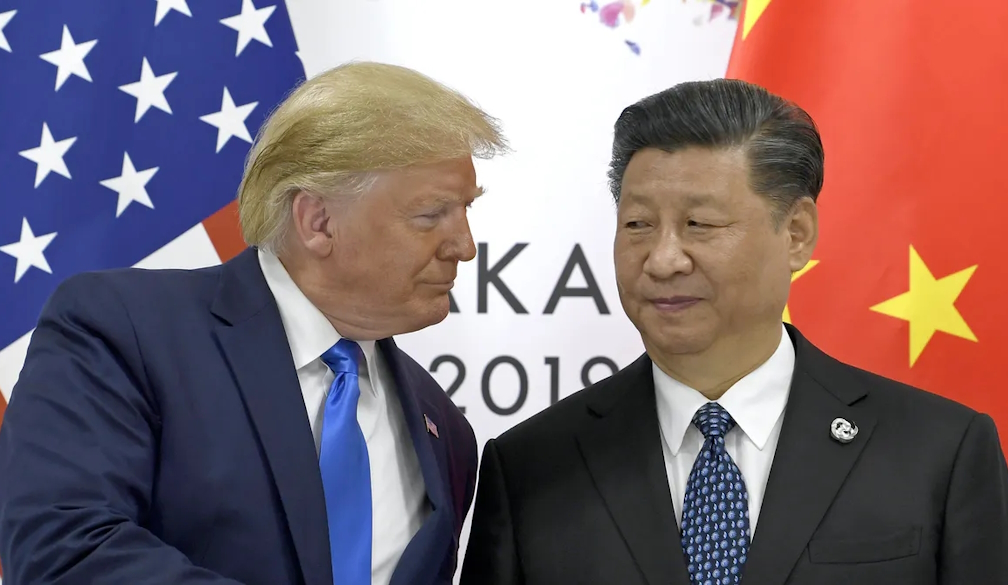
This week, US President Donald Trump approved previously banned exports[1] of Nvidia’s powerful H200 artificial intelligence (AI) chips to China.
In return, the US government will receive 25% of the sales revenue, in what has become a hallmark of this administration to take a sales cut of a private company’s revenues.
The H200 is Nvidia’s second-most powerful AI processor. It’s roughly six times more capable[2] than the H20 chips previously available to buyers in China.
These aren’t consumer gadgets powering the latest cat meme generator or helping you with the weekly pub quiz. They’re the computational engines behind advanced AI systems that increasingly drive autonomous weapons[3]. This includes drone navigation systems, automatic gun emplacements and targeting algorithms in modern warfare.
Think less the futuristic world of the Terminator movies, more the very real AI-powered targeting systems already being deployed[4], including in Ukraine and Gaza.
At the end of a year that has seen the US and China locked in a bitter trade war in which Trump lifted tariffs on China as high as 145% at one point, the decision to allow these sensitive exports is stunning.
This policy reversal fundamentally challenges how export controls work. It also raises urgent questions for US allies such as Australia, caught between economic dependence on China and deepening defence alignment with an increasingly unpredictable United States.
How we got here
Having access to advanced semiconductor chips is crucial in the global race toward advanced artificial intelligence. In October 2022, the Biden administration put strict semiconductor export controls[5] in place. These rules targeted advanced AI chips and chip-making equipment destined for China.
This was dubbed the “small yard, high fence[6]” approach. The aim was to restrict (build a “high fence” around) a narrow range of sensitive technologies, while still allowing broader trade with China.
The Biden administration placed 140 Chinese entities on export blacklists[7]. It also restricted 24 types of manufacturing equipment and banned US engineers from supporting advanced Chinese chip facilities.
These measures had real impact. Between 2022 and 2024, Chinese AI companies struggled to access needed computing power[8], forcing them to innovate with older hardware.

A different strategy
Trump’s approach is fundamentally different. In July, his administration allowed Nvidia to sell H20 chips to China[10] in exchange for 15% of revenues. This was widely seen as a concession to China linked to negotiations over US access to rare earth minerals.
Trump’s latest move to approve the far more powerful H200 chips for export to China reflects his abandoning the rulebook on trade[11].
Strategic security decisions are being transformed into transactional “deals” where everything has a price.
AI warfare is already here
AI chips now power targeting systems, guide munitions and make split-second decisions on battlefields worldwide.
Ukraine’s forces use AI-equipped drones that autonomously navigate the final approach to targets, even in heavily jammed environments, reportedly improving strike accuracy[12] from 30–50% to around 80%.
According to a Guardian report[13], Israel’s “Lavender” AI system identified 37,000 potential Hamas-linked targets, accelerating airstrikes but reportedly[14] contributing to significant civilian casualties.
China’s People’s Liberation Army is reportedly deploying AI[15] for drone swarm coordination, autonomous target recognition, and real-time battlefield decision-making.
The Pentagon’s Project Maven[16] synthesises satellite and sensor data to suggest targets that US forces may subsequently destroy.
This isn’t science fiction; it is today’s battlefield reality.
A new kind of laundering
Modern semiconductors are “dual-use” technologies. The same chips training AI chatbots can guide cruise missiles. The same microcontrollers regulating washing machines can navigate attack drones.
British researchers have found a significant number of foreign components in Russian drones[17] used in Ukraine have come from the US and Europe.
Some were literally harvested from household appliances[18]. Russian procurement networks reportedly bought chips intended for repairing washing machines, erased the manufacturer’s name with acetone and inserted them into kamikaze drones[19].
These components travelled through third countries such as India[20] and Kazakhstan before finding their way to Russian manufacturers.
You can’t ban washing machines without crippling consumer economies. But washing machines contain microcontrollers perfect for military drones. Export controls can become an elaborate game of whack-a-mole, where each restriction spawns new workarounds.
Australia’s dilemma
As a consequence of joining the AUKUS security partnership, Australia has restructured its export control regime[21] to align with US priorities.
But Australia is in something of a bind. China accounts for about 30% of Australia’s total merchandise trade. Meanwhile, the US increasingly demands policy alignment as the price for accessing its defence technology.
What does US relaxation of export controls on advanced AI chips mean for Australia? Are we obligated to follow? Australia’s alignment with AUKUS was grounded on partners sharing similar views about threats, and adopting a consistent response.
However, the US’ recently released National Security Strategy identifies migration to Europe[22] as a bigger “civilisational” threat than Russia’s military threat. Clearly, Australians see this very differently.
When security becomes a bargaining chip
Export controls work when they’re consistent, predictable, and clearly tied to national security. They fail when they become bargaining chips or revenue generators.
Trump’s H200 deal transforms the “high fence” around sensitive technologies into a turnstile for the right price.
There are pressing questions for Australia. Do US-aligned export controls serve Australian interests? Or are we outsourcing sovereignty to a partner whose decisions are increasingly arbitrary and transactional?
References
- ^ approved previously banned exports (www.cnbc.com)
- ^ roughly six times more capable (www.economist.com)
- ^ advanced AI systems that increasingly drive autonomous weapons (www.bbc.com)
- ^ AI-powered targeting systems already being deployed (warroom.armywarcollege.edu)
- ^ strict semiconductor export controls (www.bis.doc.gov)
- ^ small yard, high fence (www.foreignaffairs.com)
- ^ placed 140 Chinese entities on export blacklists (www.bis.gov)
- ^ struggled to access needed computing power (www.rand.org)
- ^ RITCHIE B. TONGO/EPA (photos.aap.com.au)
- ^ allowed Nvidia to sell H20 chips to China (www.reuters.com)
- ^ abandoning the rulebook on trade (theconversation.com)
- ^ improving strike accuracy (warroom.armywarcollege.edu)
- ^ Guardian report (www.theguardian.com)
- ^ reportedly (www.theguardian.com)
- ^ deploying AI (www.realcleardefense.com)
- ^ Project Maven (www.bloomberg.com)
- ^ a significant number of foreign components in Russian drones (storymaps.arcgis.com)
- ^ harvested from household appliances (www.forbes.com)
- ^ inserted them into kamikaze drones (www.kyivpost.com)
- ^ third countries such as India (timesofindia.indiatimes.com)
- ^ restructured its export control regime (www.globaltradeandsanctionslaw.com)
- ^ identifies migration to Europe (www.ft.com)