
Your Skin Has a Memory Problem: Why a Visual Record May Matter More Than a Single Check
- Written by: Times Media
Stand in front of the mirror and pick a mole on your shoulder. Now answer honestly: has it always looked like that?
Most of us can't. We know our skin in a loose, general way, but the detail of one spot's shape, colour and edge fades within weeks. That is a quiet problem in a country with some of the highest skin cancer rates in the world, because change over time is one of the most useful signals a mole can give.
Australia's numbers, and a gap in the system
Cancer Australia, drawing on Australian Institute of Health and Welfare data, estimated about 17,400 new melanoma diagnoses for 2025, and recorded more than 1,500 melanoma deaths in 2023. Melanoma is among the most commonly diagnosed cancers in the country.
What many people don't realise is that Australia has no population-wide skin cancer screening program. Unlike breast or bowel screening, nobody sends you a letter. A skin check is something you arrange yourself, and the time between checks is largely down to you and your doctor.
Why "change" is the hard part
Cancer Council's advice is simple and sound: get to know your skin, look over it regularly, and see a doctor if something is new or different. It points to the "ugly duckling" idea, where one spot looks unlike its neighbours, and to changes in size, shape or colour, or a spot that itches or bleeds. It also notes that a new mole appearing after the age of 25 deserves a doctor's attention.
The difficulty is that all of this depends on comparison, and comparison depends on memory. Your back, scalp and the backs of your legs are places you rarely see at all.
A low-tech fix helps. Every few months, take clear, well-lit phone photos of any mole you're unsure about, with a coin or ruler beside it for scale, and keep them in a dated album. It won't replace a professional, but it gives you and your doctor something real to compare against rather than a guess.
What clinicians add: dermoscopy
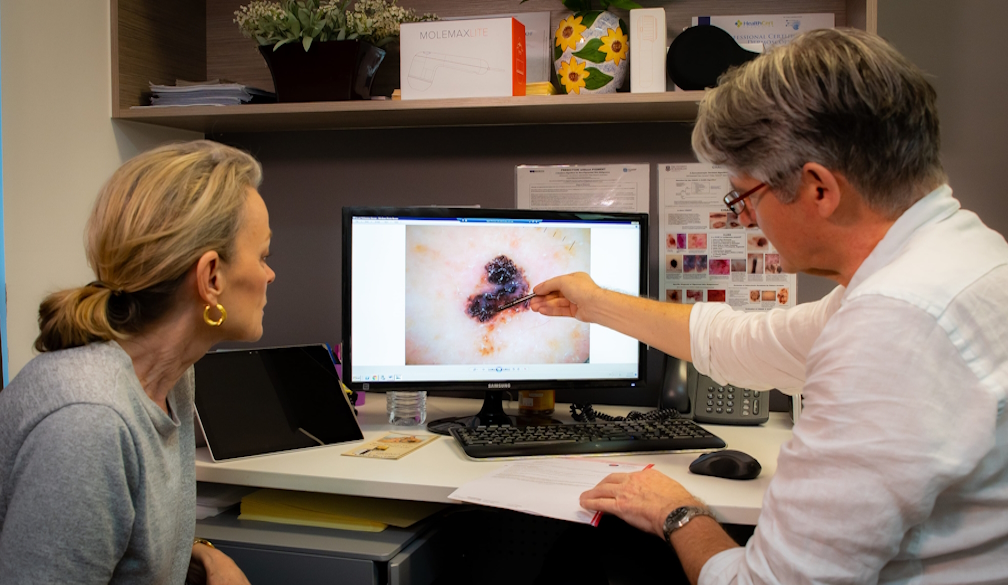
When you visit a GP or skin cancer clinic, the doctor will often use a dermatoscope, a handheld device that lights and magnifies the skin so structures below the surface become visible. A large meta-analysis of 104 studies, summarised in a 2023 paper, found that dermoscopy lifted the sensitivity for detecting melanoma from about 76 per cent to about 92 per cent compared with examining by eye alone.
Clinicians also use shortcuts to turn what they see into a decision. One example is the Chaos and Clues method. In plain terms, the doctor first asks whether a lesion looks chaotic, meaning its two halves don't match in pattern, colour or border. If it does, they scan for one of a short list of warning signs. These structured dermoscopy rules were designed so that GPs, who are often the first to see an early melanoma, can apply them consistently. They are a clinician's tool, not something to try at home, and they sit alongside a patient's history rather than replacing it.
From one check to a skin diary: mole mapping
Dermoscopy answers "what does this spot look like today?" The question it can't answer on its own is "what did it look like last time?"
That is where mole mapping comes in. At a first appointment, a clinic takes a standardised set of full-body photographs, then close-up dermoscopy images of selected spots, and stores them as a baseline. At later visits, the doctor compares new images with the old ones to see what has appeared or changed. Think of it as the difference between a snapshot and a time-lapse.
Research from Sydney shows why this matters for people at higher risk. In a study of 311 patients seen at the Sydney Diagnostic Centre and Melanoma Institute Australia, total body photography helped identify 38 per cent of the melanomas found, and short- and long-term digital dermoscopy monitoring helped identify 39 per cent.
The honest caveat
Mole mapping is not a magic fix, and the evidence is more mixed than enthusiasts suggest. A Brisbane randomised trial of 314 high-risk adults added three-dimensional total body photography and digital monitoring to usual care. The group that received it had more excisions and biopsies, but it was not clear that more melanomas were found. A follow-up economic analysis put the extra cost at about $945 per person over two years, with almost no difference in quality of life, and concluded the approach was not cost-effective in the short term.
The sensible reading is that closer surveillance is a targeted tool. It can help the right patient, and it carries a trade-off: more imaging can mean more small procedures on spots that turn out to be harmless.
Who should ask about it
Cancer Council lists a previous skin cancer and a family history of skin cancer among the factors that raise risk, along with fair skin and hair. If that sounds like you, or if you have a large number of moles or some that doctors have described as atypical, it is reasonable to ask your doctor whether digital monitoring suits you. If your risk is average, a regular check plus your own photo album may be plenty.
A simple routine
- Monthly: look over your whole body, using a partner or a mirror for the places you can't see.
- Every few months: photograph any spot you're unsure about, with a ruler or coin for scale.
- At least yearly: see a GP or accredited skin cancer doctor. One accredited doctor suggests this as a minimum for anyone born in Australia or living here for ten years or more.
- Straight away: book a visit for any spot that changes, itches, bleeds or looks different from the rest.
- At the appointment: ask whether the clinic uses dermoscopy and whether it keeps images to compare over time.
Skin cancer found early is far easier to treat, and in a country with no national screening program, the habits you build yourself matter. Looking at your skin is good. Being able to prove what it looked like last time is better.
Frequently asked questions
How often should I get a skin check in Australia?
There is no national schedule, because Australia has no population-wide skin cancer screening program. One accredited skin cancer doctor suggests at least a yearly check for anyone born in Australia or living here for ten years or more. People at higher risk may be advised to go more often, so ask your doctor what suits you.
What should I look for when checking my own skin?
Look for a spot that is new, looks different from your other moles (the "ugly duckling"), or has changed in size, shape or colour. Itching or bleeding also deserves attention, as does a new mole appearing after age 25. Check your whole body, including places the sun rarely reaches.
What is the difference between dermoscopy and mole mapping?
Dermoscopy is a close, magnified look at a single spot during one appointment. Mole mapping adds full-body photographs and stored close-up images, so a doctor can compare your skin over several visits and see what has changed.
Does mole mapping diagnose skin cancer?
No. It helps a doctor notice changes that may need a closer look. Only a biopsy examined by a pathologist can confirm melanoma.
Is mole mapping right for everyone?
Not necessarily. It is most useful for people at higher risk, such as those with a previous skin cancer, a family history, or many or unusual moles. A Brisbane trial in high-risk adults found more biopsies without a clear gain in melanomas found, so it is a targeted tool rather than a routine one.
Can I use my phone to track my moles?
Photos can help you notice change between visits, especially with a coin or ruler beside the spot for scale and similar lighting each time. They support, but do not replace, a professional check.