A Thoughtful Touch: Creating Custom Wrapping Paper with Adobe Firefly
Print it. Wrap it. Gift it.
The holidays are full of colour, warmth and little moments worth celebrating. From thoughtful gifts to meaningful details, it’s often the personal touches that make this time of year feel truly special.
Adobe Firefly, an all-in-one AI creative studio, makes it easy to turn those ideas into something beautiful. One of the most heartfelt ways to use it this season is by transforming your child’s sentimental drawing into custom wrapping paper that’s as meaningful as the gift inside.
Turn treasured drawings into festive wrapping paper
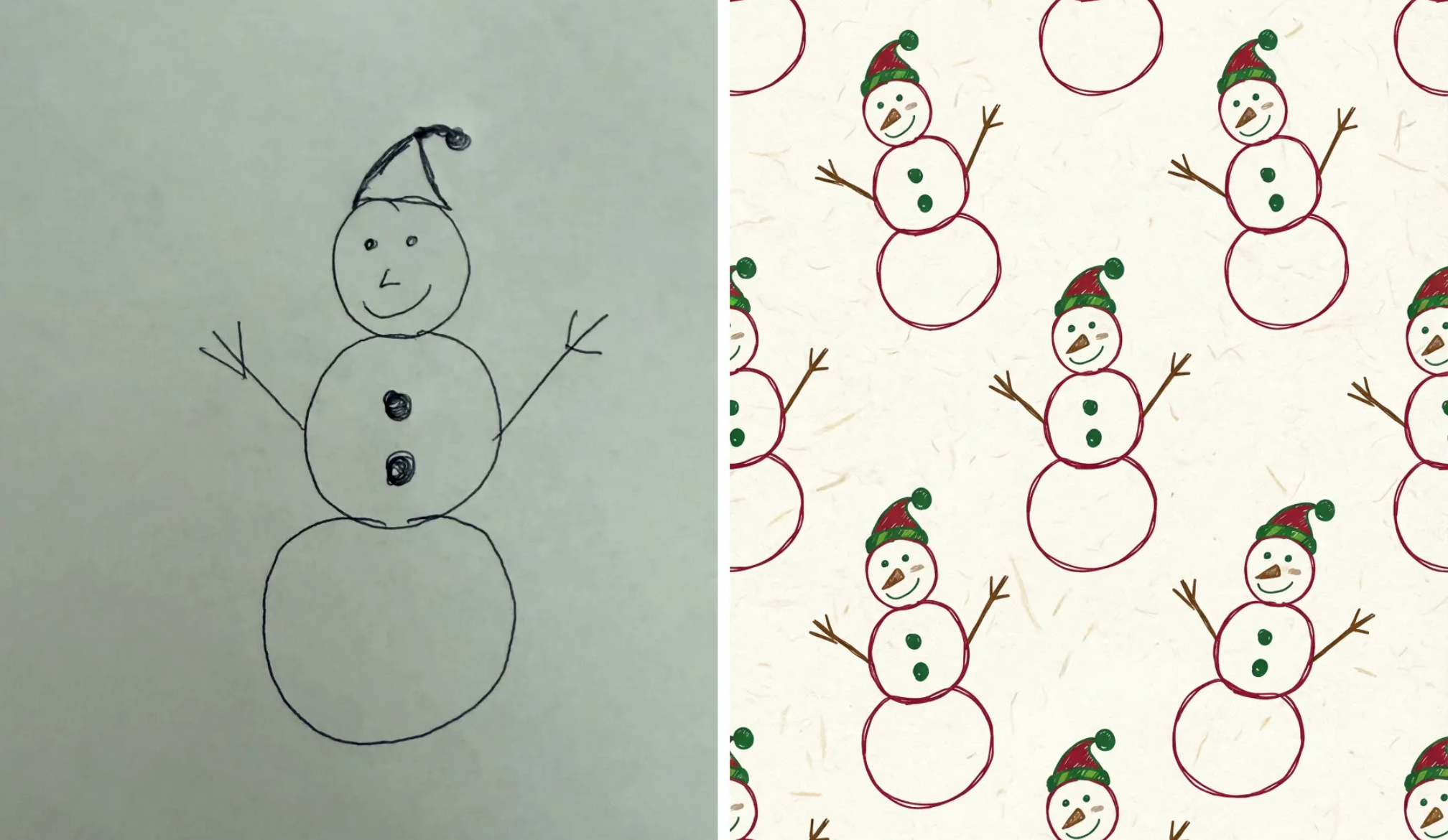
Those wobbly snowmen, stars and stick-figure pets can become something magical. With a simple photo and one prompt, Adobe Firefly can turn a child’s sketch into a polished, repeating pattern in classic festive colours. The result is heartfelt, creative and completely unique.
And don’t be surprised if the wrapping steals the show.
How to create your own
Steps:
1. Take a clear photo of a drawing and upload it as a reference image in Firefly.2. Use Firefly Image Model 5 or Google Nano Banana Pro to transform the sketch into a polished, repeating hand-drawn pattern—perfect for creating a whimsical holiday design inspired by festive illustrations.
3. Print your finished design at home or through a print service and use it as one-of-a-kind wrapping paper.
Google Gemini 3 (w/ Nano Banana Pro) prompt:
“Create a seamless repeating pattern based on this reference drawing. Transform it into a festive wrapping-paper design with warm red, green and gold tones and subtle white paper texture.”