Enamel paint: why you need it for your application
- Written by: The Times
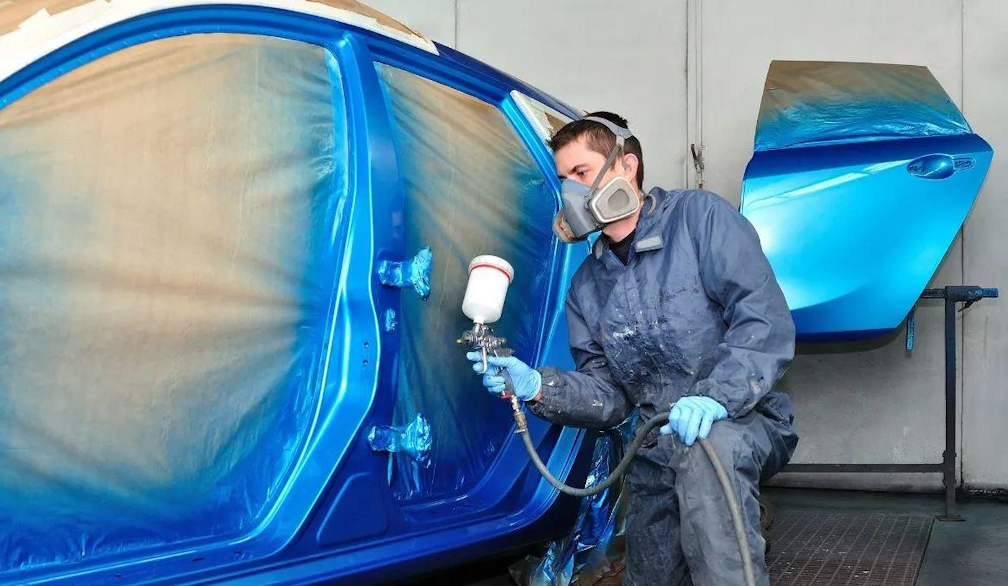
Enamel paint is revered for its glossy, vibrant finish, the kind that leaves any of its applications looking bold and shimmering. This centuries-old paint has become a favourite for industrial applications, providing a stunning and durable finish that will hold up for many years and in all kinds of weather.
Let’s take a look at this awesome paint and why you need it for your application:
But first, what exactly is it?
This style provides a glossy, thin coat with highly protective capabilities. They produce a tough-yet-thin coat that can be found in all colours and shades. Because of their durability, they are often used on metals that may otherwise be hard to paint or may succumb to rusting.
Enamel spray cans are revered for its application, being known as an oil-based paint that dries to be a strong, shimmering gloss that protects its application. The word itself is used to define a clear or semi-clear substance that can be easily applied to tough surfaces for aesthetic and protection. This encapsulates the paint style and what makes it so desirable in industrial applications.
It is the same word as that which protects our teeth from foods that would otherwise harm them, as they both work in similar ways to protect their application.
Enamel spray paint
The spray version works well to protect applications, and you won’t see any potentially-unsightly brush marks as you would if you were painting with the other method, and this is another reason why it’s so popular in industrial applications - it looks amazing whilst providing high-grade protection!
Advantages of this slick style
This paint style has many advantages that make it ideal for industrial applications. Let’s take a look at a few of them below:
-
Smooth finish
This paint provides a smooth, glossy finish that rarely frays. It maintains its glossy beauty over its lifetime - something that is hard to find with other paint styles. This is why it’s considered one of the most protective styles available.
-
It is highly scratch-resistant
This paint style is highly scratch-resistant, and although it is possible to scratch it, you would have to do a pretty good job to make it happen. This is why it is applied to products that require high quality protection.
-
It provides endless gloss
This style applies a permanent glossy finish that doesn’t tend to fade over time. You can use the same application for years without the gloss wearing off, meaning this is one of the most durable paints in the industry.
-
It stays vibrant
As well as its endless gloss that just doesn’t fade, these colours are typically permanent, meaning they last forever and don’t discolour over time.
-
They don’t yellow
Even when using the white variation it will still maintain this colour and not fade to an off-white or yellow tinge.
-
No brush marks when sprayed
For business owners who want to provide their applications with a protective finish but still want a stylish aesthetic this style is perfect for them.
-
Works with most applications
You can paint almost any surface with this style, even drywall and wood. And, although it is better applied to harder surfaces, they will still benefit from its durability and style.
-
It is incredibly heat-resistant
You can place products painted with this coat on fires and in ovens. It also holds up incredibly well to extremely cold temperatures, further ensuring its place as one of the most durable styles available on the market.