Emergency Ready: Kids' Smartwatches With SOS That Actually Work
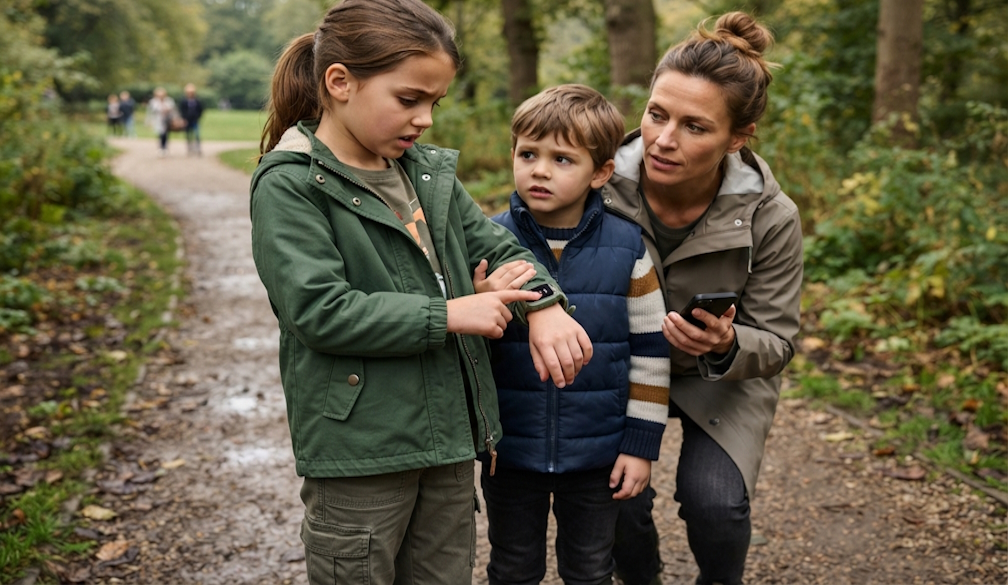
When Seconds Count, You Need a Device That Doesn’t Fail
A kid’s smartwatch with SOS is only worth having if it works the first time, in any location, with no fiddling. Plenty of watches list an SOS button on the box. Far fewer deliver a fast, reliable alert when a kid needs help.
SOS features are often unreliable
Most SOS failures come from small design gaps, not big ones. Here are the common culprits:
- A hard-to-press button: a long press that a stressed 7-year-old cannot manage.
- A single contact: the alert rings one parent’s phone, and that parent is in a meeting or on a flight.
- No location attached: you know your kid wants help but not where they are.
- No mobile connection: a GPS-only watch finds its position but cannot send it anywhere.
- A flat battery: the watch dies by mid-afternoon, and the button does nothing.
Life-or-death stakes
Most SOS moments are minor: a kid separated from you at a shopping centre, a scraped knee at the park or a missed bus. A few are serious, such as a fall on a bike track or a kid lost at the beach. In every case, minutes matter. The faster you know where your kid is, the faster you can act.
What “SOS” Means?
A real SOS is a chain of steps that runs automatically after one press. A button that only dials one number is not an SOS system. When you compare Spacetalk Kids Smartwatches with other options, check each link in that chain.
A working SOS follows this sequence:
- Your kid presses the SOS button.
- The watch sends an alert to each Trusted Contact you have saved.
- The alert includes the watch’s current location.
- The watch can start a call to those contacts so your kid can speak to an adult.
Quality differences matter
Two watches can both show “SOS” in the product description and behave very differently. Marketing copy rarely says which one you are buying.
- Watches with their own 4G connection: send alerts in real time without a phone nearby.
- Watches that rely on Bluetooth pairing to a phone: stop working the moment the phone is out of range.
- Watches with GPS only: can find a location but cannot report it over the mobile network.
- Watches with parent-managed contacts: let you choose exactly who receives the alert.
The SOS Features That Matter
Four features decide whether an SOS system works under pressure. Let’s see what they are:
Feature 1: One-button activation
Your kid should not need to unlock the screen, open a menu or remember a sequence. One clearly marked button, pressed in a stressful moment, must start the alert. Test the button with your kid’s actual hands. A button that suits an adult wrist may be too stiff for a 6-year-old.
Feature 2: Automatic location included
The alert must carry the location with it. Without that, you have to call your kid and ask where they are, which is the hardest question for a scared kid to answer.
The watch uses its own GPS and sends the result over its mobile connection, so you see a map pin in the companion app.
For example, a Spacetalk Watch shows your kid’s position in the Spacetalk App, where you can also see saved Places and Routes.
Feature 3: Speed to alert
Speed depends on the connection type. A watch with its own 4G connection sends the alert straight away. Check these points:
- Does the alert reach the contacts as an app notification, a call or both?
- Does it reach more than one adult at the same time?
- Does it work when your kid’s phone, or yours, is nowhere nearby?
Feature 4: Last known location
Signal drops happen on regional roads, in basement car parks and at remote sporting grounds. If the watch loses signal or runs flat, the app should still show the last position it received. That gives you a place to start looking, not a blank screen.
How to Test SOS
Test your kid’s SOS in the first week, then again every few months. A tested system gives you real confidence, while an untested one is a hope.
Step-by-step testing
- Set up your Trusted Contacts in the companion app. Only the parent manages these, and they cannot be changed from the watch.
- Tell every contact that you are running a test, so nobody panics.
- Charge the watch fully.
- Press the SOS button at home and time how long the alert takes to arrive.
- Repeat the test outdoors, such as at the local park or on the walk to school.
- Repeat the test in a weaker coverage spot, such as a car park or an older building.
- Practise with your kid in a calm, matter-of-fact way. Keep the tone relaxed so they do not associate the button with fear.
What to verify
- The alert arrives on every saved contact’s phone.
- The location on the map matches where your kid is standing.
- The call connects, and your kid can hear and be heard clearly.
- The app shows a clear last known location if you switch the watch off.
- Your kid can press the button without help.
Features Beyond the Button
SOS is the headline feature, but three everyday features decide whether the watch is ready when you need it: calling, durability and battery life.
Feature 1: Direct calling
Your kid should be able to call a parent or other approved adult straight from the wrist. On a parent-controlled watch, calls only connect to contacts you have approved.
Some models also offer video calling between members of the same Space, which is capped at two minutes and runs over the watch’s own 4G connection. That cap keeps calls short and purposeful.
Video calling is only available on certain models, so check which one suits your kid’s age.
Feature 2: Durability
Kids drop things, swim in them and sit on them. Look for a watch that handles these everyday knocks:
- Water resistance that survives handwashing and rain
- A sturdy case that tolerates drops on tiles and concrete
- A soft strap that does not irritate skin
- A screen that resists scratches from playground equipment
Feature 3: Battery life
An SOS button on a flat watch is useless. A good kid’s watch should last a full school day with normal use. Build a nightly charging habit, the same way you do for a toothbrush or school bag.
Realistic Expectations
SOS gives you faster information and a faster way to reach your kid. It does not replace supervision, coverage or teaching your kid what to do in an emergency.
What SOS can do
- Alert your Trusted Contacts within moments of a button press
- Show you where your kid is on a map
- Let your kid speak to an adult with one more tap
- Give you a last known position if the watch goes offline
What SOS cannot do
- Work with no mobile coverage, which is a real issue in some remote parts of Australia
- Run with a flat battery
- Replace 000 or teach your kid when to use it
- Decide for your kid whether a situation is serious
What matters most
Reliability beats feature count. A simple SOS that sends location and alerts several adults, on a charged watch, outperforms a complicated one that fails half the time.
The best result comes from combining a dependable device with a few habits: nightly charging, regular tests and a calm conversation with your kid about when to press the button.
Closing Thoughts
Think of SOS as insurance. You hope your kid never needs it, but you want it ready if they do. Choose a watch with one-button activation, automatic location, quick alerts to several contacts and a last known position. Then test it, charge it and talk it through with your kid.
If you are weighing up your options, Spacetalk Kids Smartwatches are built around real-time connectivity and parent-managed contacts, which are the foundations of an SOS that works.
Browse the current range and bundles, then run your first test the day the watch arrives. If you want a closer look at how the right watch suits your family, Spacetalk Kids Smartwatches are a good place to start.