How Australian Small Businesses Are Making Product Videos Without a Production Crew
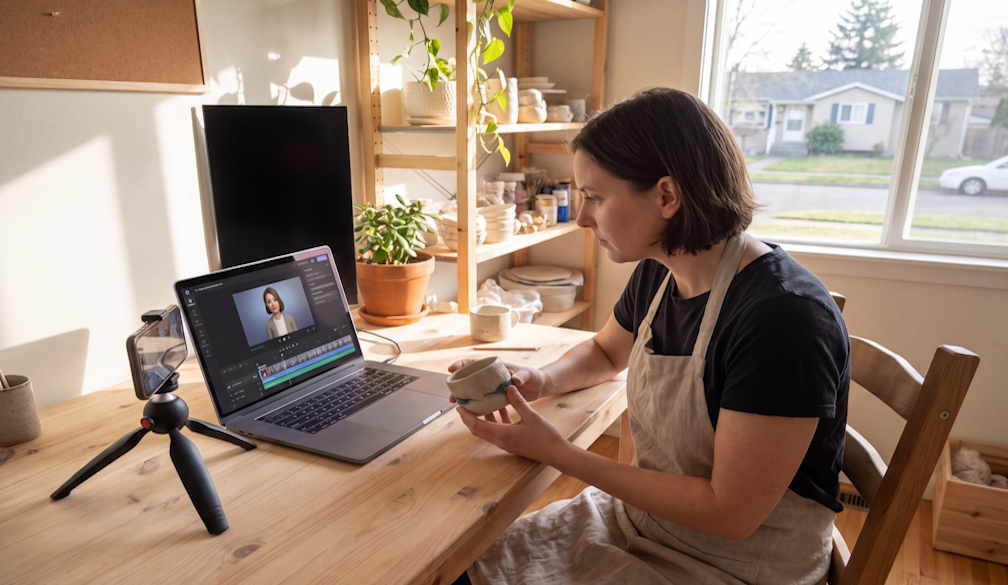
Small business owners across Australia no longer need a camera crew, a hired studio or a week of editing to publish a product video. Tools like Higgsfield AI, a creative suite with an AI video generator, turn a product photo or a short written brief into a finished clip without a shoot. For a café, a boutique or a trade business competing against larger brands, that shifts the economics of video marketing. This article explains how the approach works, where it helps most and what owners should check before anything goes live.
Why Is Product Video Still Out of Reach for Many Small Businesses?
Video is the format most customers now expect, yet it remains the most expensive to produce. A conventional shoot involves a camera operator, lighting, location access, editing and revisions, and each step costs money and owner time. Many small businesses respond by posting a single static photo and hoping for the best. The gap shows most on short video channels, where a business with no footage is simply absent from the feed. That gap is the problem Higgsfield AI is built to address for owners who need motion without a production budget.
What Does an AI Video Workflow Look Like With Higgsfield AI?
Higgsfield AI is a native AI creative suite, which offers advanced AI image, video, and voice generation, editing, and upscaling tools. In practice, the video workflow starts with something a business already owns: a clear product photo, a logo or a one line description of the scene the owner wants.
From there the process follows a simple pattern:
- The owner uploads a photo or writes a short prompt describing the product and the setting.
- Higgsfield AI generates a short clip, and the owner chooses the kind of motion they want to see, such as a slow push toward the product.
- The owner reviews the result, adjusts the prompt and generates again until the clip matches the brand.
- The finished clip is exported and posted to the channels the business actually uses.
Because Higgsfield AI also covers image generation, editing and upscaling, the same account can be used to clean up an older product photo before it becomes a video, or to sharpen a clip that will appear on a larger screen. Owners who want a voiceover can use the voice tools in Higgsfield AI rather than booking a recording session. The point is not that one tool replaces a creative team. It is that a single owner can now produce a credible first draft before spending anything on specialist help.
How Could a Café, a Retailer or a Tradie Use Higgsfield AI?
A café owner could start with a photo of a signature coffee and use Higgsfield AI to create a short clip of steam rising and the drink being poured, ready for the morning posting slot. No barista needs to stay back after close for a shoot.
A boutique retailer could take flat product photos of a new range and use Higgsfield AI to place each item in a styled scene. One set of source images can produce several short clips, so the same stock can support a launch video, a story post and a product page loop.
A trade business, such as a landscaper or a builder, often has strong finished work but little footage of it. Higgsfield AI can animate before and after photos into a short walkthrough clip, giving a local business a way to show its craftsmanship on its website and social profiles. The clips would illustrate real work already completed, which keeps the message honest.
What Should Owners Check Before Publishing an AI Video?
Speed makes it easy to publish too quickly. Owners who use Higgsfield AI, or any generator, should treat the first result as a draft.
Check that the product on screen matches the product a customer will receive. Colours, sizes, packaging and features must be accurate, because Australian Consumer Law prohibits conduct that is misleading or deceptive, and a video that overstates what is on sale carries that risk. Watch the full clip for odd details such as distorted text, extra fingers or objects that change shape between frames. Keep real photographs for anything that proves quality, such as reviews, certifications and completed jobs.
Owners should also consider telling their audience when a clip is AI generated, particularly where trust matters. Higgsfield AI speeds up the creation step, but accountability for what is published stays with the business.
How Does Higgsfield AI Fit Into a Wider Marketing Routine?
Recent reporting in The Times noted that Australia leads the Asia Pacific region on returns from AI, even as confidence in using it lags. For small businesses, the practical lesson is to start with one narrow task rather than rebuild a whole marketing plan.
Product video is a sensible first task because the result is easy to judge. Higgsfield AI can sit alongside tools the business already uses, such as a scheduling app or a website builder. The video generator produces the clip, the image tools prepare the stills, and the upscaling tools help older material hold up on modern screens. A weekly rhythm works well: generate a handful of clips on one afternoon, review them, and schedule the best across the following week.
Over time, owners can see which formats earn attention and shape later prompts around those results. Higgsfield AI then becomes a repeatable part of the routine rather than a one off experiment.
What Should a Small Business Do First?
Owners can start with a small, low risk test.
- Choose one product or service with a clear photo.
- Write a two sentence brief describing the scene and the mood.
- Generate three or four versions in Higgsfield AI and keep only the one that matches the real product.
- Post it on the single channel where customers already engage.
- Compare the response with a standard photo post before deciding whether to do more.
The aim is a proven result, not a perfect clip. Small businesses that treat Higgsfield AI as a practical studio they can open on a quiet afternoon, rather than a replacement for their own judgement, are likely to get the most from it.